Summary of changes to the sales eBilling flow from 2026 R1
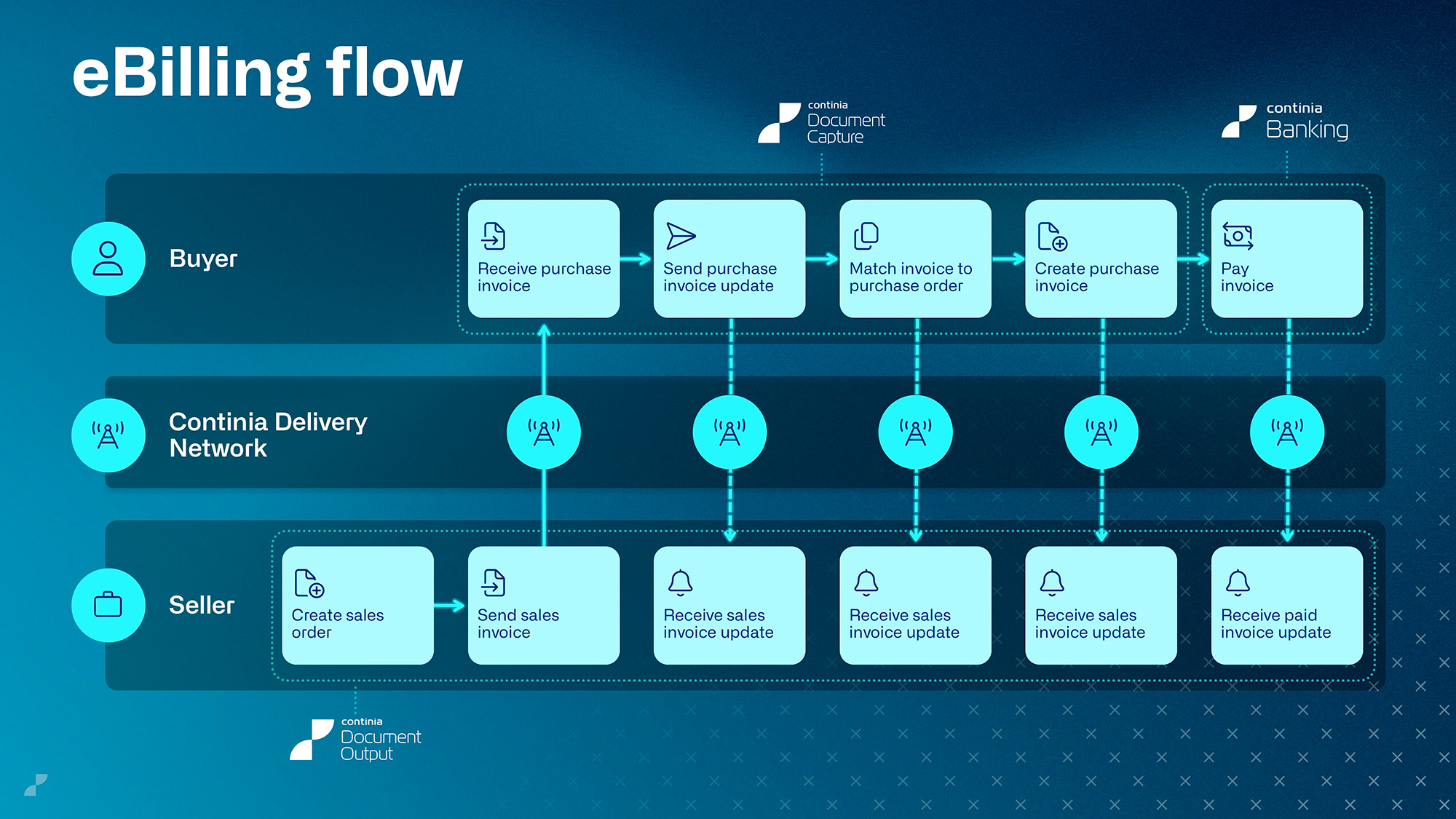
To simplify its architecture, strengthen the Continia eDocuments framework, and provide a solid foundation for future innovation, Continia implemented several improvements to how electronic documents are handled. Starting with Continia Document Capture 2026 R1 (v28), the accounts receivable (AR) eBilling flow – also known as the sales eBilling flow – is handled exclusively by Continia Document Output.
This article summarizes the changes involved, from the moment you install or upgrade to Document Capture 2026 R1 (v28) to the streamlined features.
Installation and activation
From version 28, Document Output is automatically installed along with Document Capture. That is:
- Installing Document Capture v28 and newer automatically installs Document Output.
- Upgrading Document Capture to v28 and newer installs Document Output.
If you have yet to activate Document Output, you must do this before you can continue sending electronic sales documents. For more information on activation, see Managing Continia solutions (online) or Managing Continia solutions (on-premises).
Overall changes
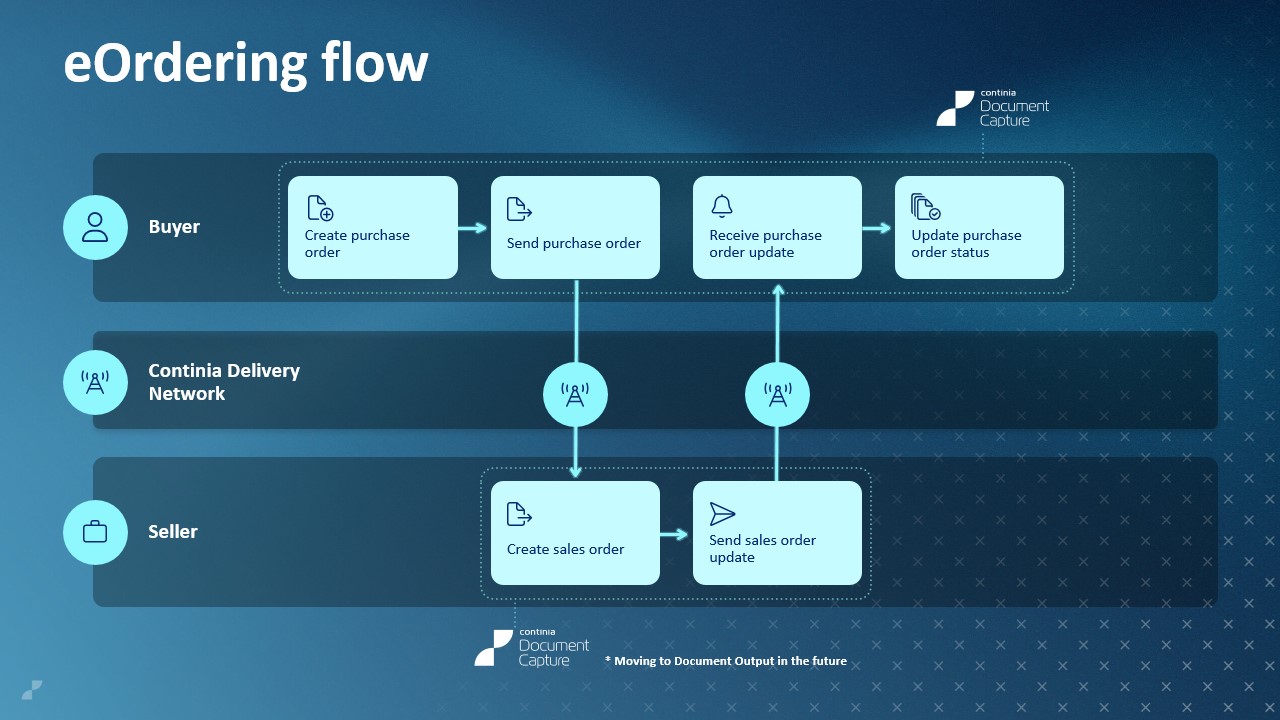
The improvements listed here comprise both Document Capture and Document Output. To see how these improvements change the existing flows, see eOrdering flow and eBilling flow.
Consolidated eDocuments framework - all XML and eDocuments logic is centralized in the Continia Delivery Network (CDN) app, which is included with Document Capture and Document Output. This provides a shared architecture for the exchange of eDocuments.
Implementation of sender profiles - as a replacement for Document Output's eDocument send code feature, sender profiles contain all the information required to send electronic documents. These profiles can be assigned directly on the Customer Card and Vendor Card, as well as in Document Output's Output Profiles.
Important
Existing configurations are handled by the assisted setup guide during the upgrade to version 28. If you use non-standard eDocument send codes, contact your partner.
Visibility of sending actions - choose what's shown in the interface: the standard Microsoft Dynamics 365 Business Central action (i.e.: Send...) or the Document Output action (i.e.: Send eDocument).
eOrdering flow
eBilling flow
Changes to Document Capture
When you activate Document Output, you gain access to the following features:
- Support for automatic sending of eDocuments using job queues.
- The Send eDocument action, which allows you to manually send posted documents.
- Enhanced communication capabilities, including fallback to email if sending via XML fails.
For more information, see Overview of business functionality.
Note
Custom extensions built on the existing eDocuments framework aren't be affected by this change.
Changes to Document Output
When you enable Enhanced Continia eDocuments on the Continia Feature Management page, you gain access to the following features:
- A consolidated sales eBilling flow.
- A unified eDocuments framework.
Important
If you've developed custom extensions based on the previous XML export framework, you must refactor them to use the eDocuments framework.
This Enhanced Continia eDocuments feature is enabled automatically for new installations of Document Output. To ensure that you have sufficient time to update your existing extensions, you can postpone the enabling of this feature for at least one year.
Related information
Partner guide - changes to the sales eBilling flow (version 28.0) (only available to partners)