Applying partial payments and transferring differences
This article describes how to apply partial payments and transfer differences in the system, including the steps for partial application in Bank Account Reconciliation and Payment Reconciliation Journal.
You can apply only part of a proposal amount, leaving the remainder open for future application. This is supported in both Bank Account Reconciliation and Payment Reconciliation Journal.
To apply a partial payment:
- Open the Payment Application Review page for the relevant statement or journal line.
- In the Payment Application Proposals subpage, locate the proposal you want to partially apply.
- In the Applied Amount field, enter the amount you want to apply (less than the full proposal amount), or select the Applied checkbox.
- The system updates the reconciliation status for the applied amount and leaves the remaining amount open for future application.
- For Bank Account Reconciliation, post the created journal line for the applied amount as usual.
When you apply a payment application proposal, the Account Type and Account No. fields are assigned to the bank statement line.
Note
Both methods produce the same result. Use whichever method you prefer. Applying a proposal does not post the payment to the ledger—it only creates the application. You must post the reconciliation to finalize the payment.
To use the Apply Partial Payment action
On the Payment Application Review page, you can find the Apply Partial Payment action in the Payment Application Proposals section. This action allows you to apply partial payments quickly and efficiently.
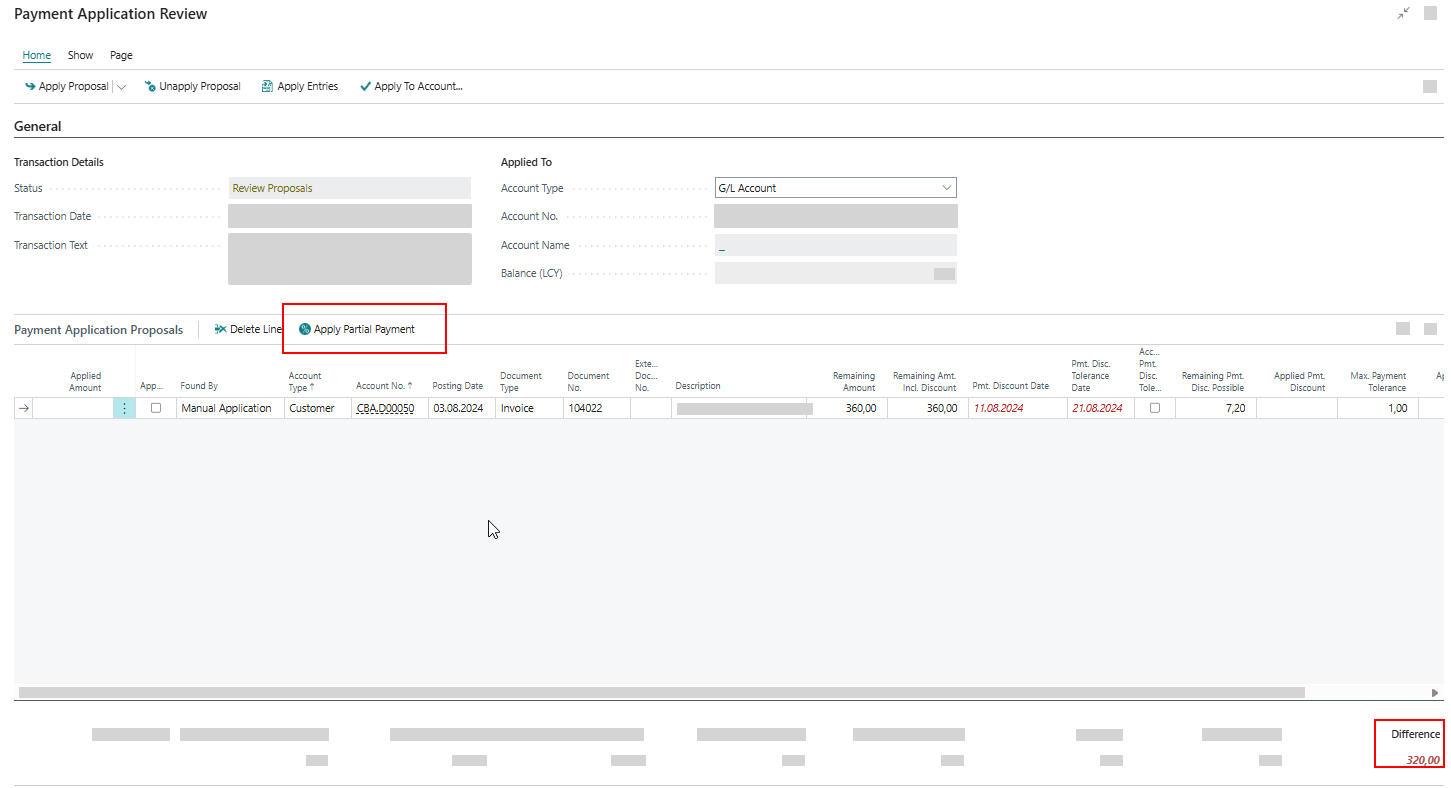
The Apply Partial Payment action is available when the transaction amount partially covers the invoice amount. It appears under the following conditions:
- If no entries have been applied yet, the transaction amount must be lower than the current remaining amount of the ledger entry.
- If entries have already been applied, the difference amount must be lower than the current remaining amount of the ledger entry.
When executed, the action sets the Applied Amount to the partial payment amount or adjusts it by the difference amount.
Payment discounts and payment tolerances are not allowed for partial payments. Any previously entered discount values will be reset automatically.
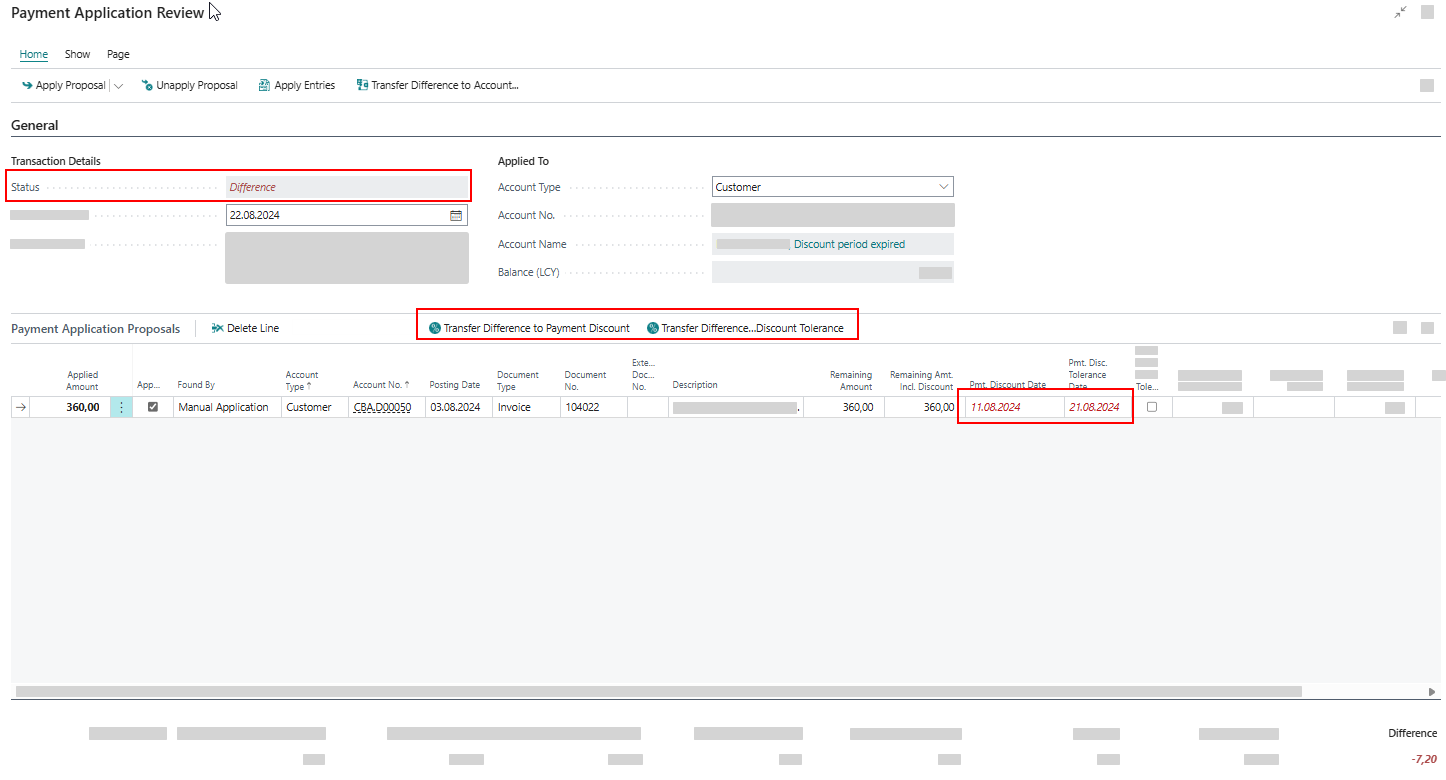
To transfer differences
To transfer a difference to payment discount
This action is displayed when the difference is caused by an expired Payment Discount. It updates the Payment Discount Date and recalculates the Remaining Amount (including Discount), Applied Amount, and Applied Payment Discount.
To transfer a difference to payment discount tolerance
This action is displayed when the difference is caused by an expired Payment Discount Tolerance. It updates the Payment Discount Tolerance Date and recalculates the Accepted Payment Tolerance, Remaining Amount (including Discount), Applied Amount, and Applied Payment Discount.
To transfer a difference to payment tolerance
This action is displayed when the difference is lower than the Max. Payment Tolerance Amount. It updates the Applied Payment Tolerance and recalculates the Applied Amount.