Default payment reference rules
Continia Banking includes default payment reference rules. Continia updates these rules automatically, and you can download them from Continia Online. These rules support common formats used across various countries and banking systems including:
- Norwegian KID numbers
- Swedish OCR numbers
- Finnish reference numbers
- Danish payment references
- Other national and international formats
Default rules are protected, and you can't delete them. The Default checkbox on the Payment Reference Rules page marks the default rules. You can't edit default rules directly. To customize a rule, create a copy.

To download the latest default rules from Continia Online
Continia can add new rules or update existing ones, and you can download rules from Continia Online at any time. New default rules are added to your system, and existing default rules are updated with the latest configuration. Your custom rules (non-default) are never modified or deleted, and disabled default rules are updated but remain disabled.
To download the latest rules:
- On the Payment Reference Rules page, on the action bar, click Home > Download Payment Reference Rules. This action downloads all Payment Import configuration from Continia Online, not just payment reference rules. This may include updated validation patterns, document type mappings, and other import settings. Review new or updated rules to confirm supported formats and test rules you actively use.
To disable a default payment reference rule
Default rules are marked with the Default checkbox. You can’t edit them directly, but you can disable them or create a copy.
To disable a default payment reference rule:
- On the Payment Reference Rules page, open the page of the default rule you want to disable.
- Select the Disabled checkbox.
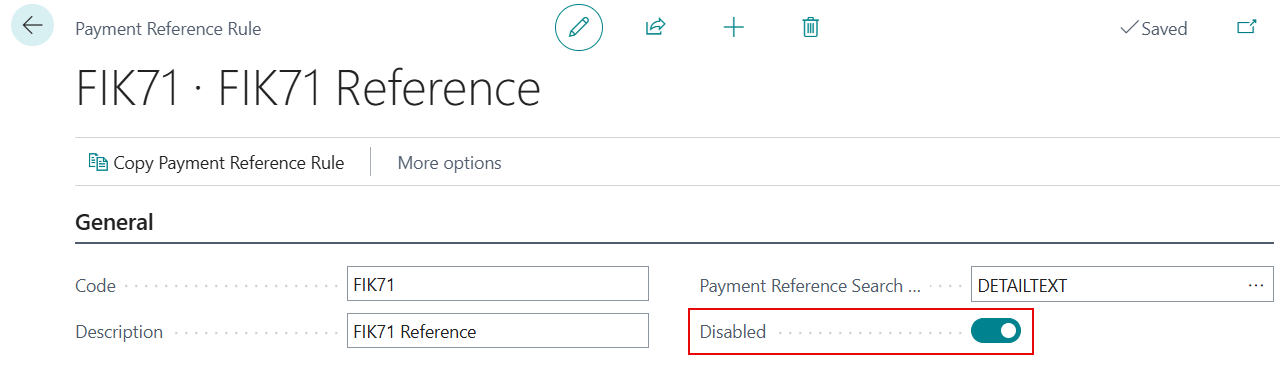
Disabled rules remain in the system but aren’t used during statement import.
To create a custom rule
To create a custom version of a default payment reference rule:
- On the Payment Reference Rules page, open the page of the default rule you want to modify.
- On the action bar, click Copy Payment Reference Rule.
- Enter a new code and click OK to create the copy. Use descriptive codes for copied rules to distinguish them from defaults. For example, if copying "NO-KID", name it "NO-KID-CUSTOM" or "NO-KID-COMPANY".
- The new custom rule is now added to the list. Open the new rule to make your changes.
Related information
Setting up a payment reference rule
Validation pattern codes for matching payment references
Configuring check digit validation
Payment reference rule examples
Payment reference rules FAQ